
All projectsSchedule 5 to Form OSS-1
Status page
A status page that runs entirely on GitHub, with no server and no database.
GitHub template
MIT
$0.00
No
What it does
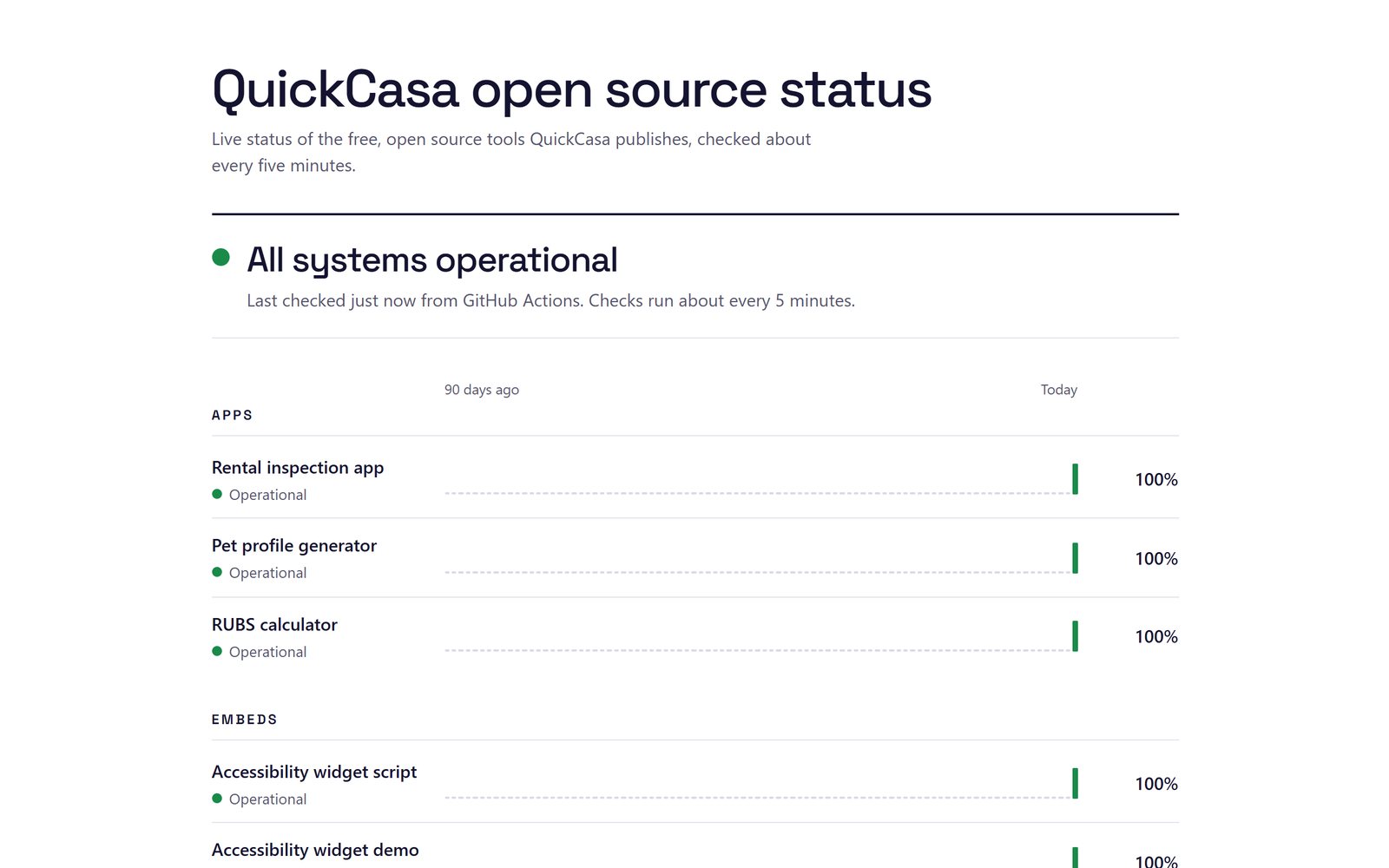
- Checks each of your sites on a schedule, from GitHub's servers, and publishes the results to GitHub Pages.
- Shows 90 days of history for each site and the incidents from the last 30.
- Marks a site up, slow or down. A site is down when it fails twice in a row in the same run. An incident opens when a site goes down and closes when it's back.
- Says when checks are late instead of showing an old green light.
- Can show status documents from another monitor as tabs, including a public Firestore document.
Set up your own
- Click Use this template on GitHub and create a public repository.
- In the new repository, open Settings, then Pages, and set Source to GitHub Actions.
- Edit status.config.json: give the page a title and list the sites to check.
- Commit the change. The workflow checks everything and publishes the page.
The config has a JSON schema, so editors such as VS Code check it and suggest settings as you type.
How it keeps history without a database
Each run downloads the status.json the last run published, adds the new results and publishes it again beside the page. Nothing is committed to the repository for each check.
Limits worth knowing
- GitHub runs scheduled workflows when it can. Runs can start late, and GitHub drops some when it's busy. The page always says when the last check ran.
- There are no alerts. The page shows problems but doesn't email or message anyone.
- Your target URLs are public in a public repository. They're never shown on the page, but don't put anything secret in them.
- GitHub turns off scheduled workflows in a public repository after 60 days with no activity. The workflow makes an empty commit after 50 quiet days to prevent that.
Questions
Does it cost anything?
Not for a public repository. GitHub Actions is free for public repositories, and GitHub Pages needs a paid plan for private ones.
Can I use my own domain?
Yes. Add it in the repository's Settings, under Pages, then Custom domain.
How often does it check?
The schedule runs every five minutes by default, and you can set a longer interval. GitHub can start scheduled runs late or skip them when it's busy, so the page always shows when the last check ran.