All projectsSchedule 4 to Form OSS-1
Accessibility widget
An accessibility toolbar for any website, added with one script tag.
Script
MIT
$0.00
No
npm install @quickcasa/accessibility-widget
What visitors get
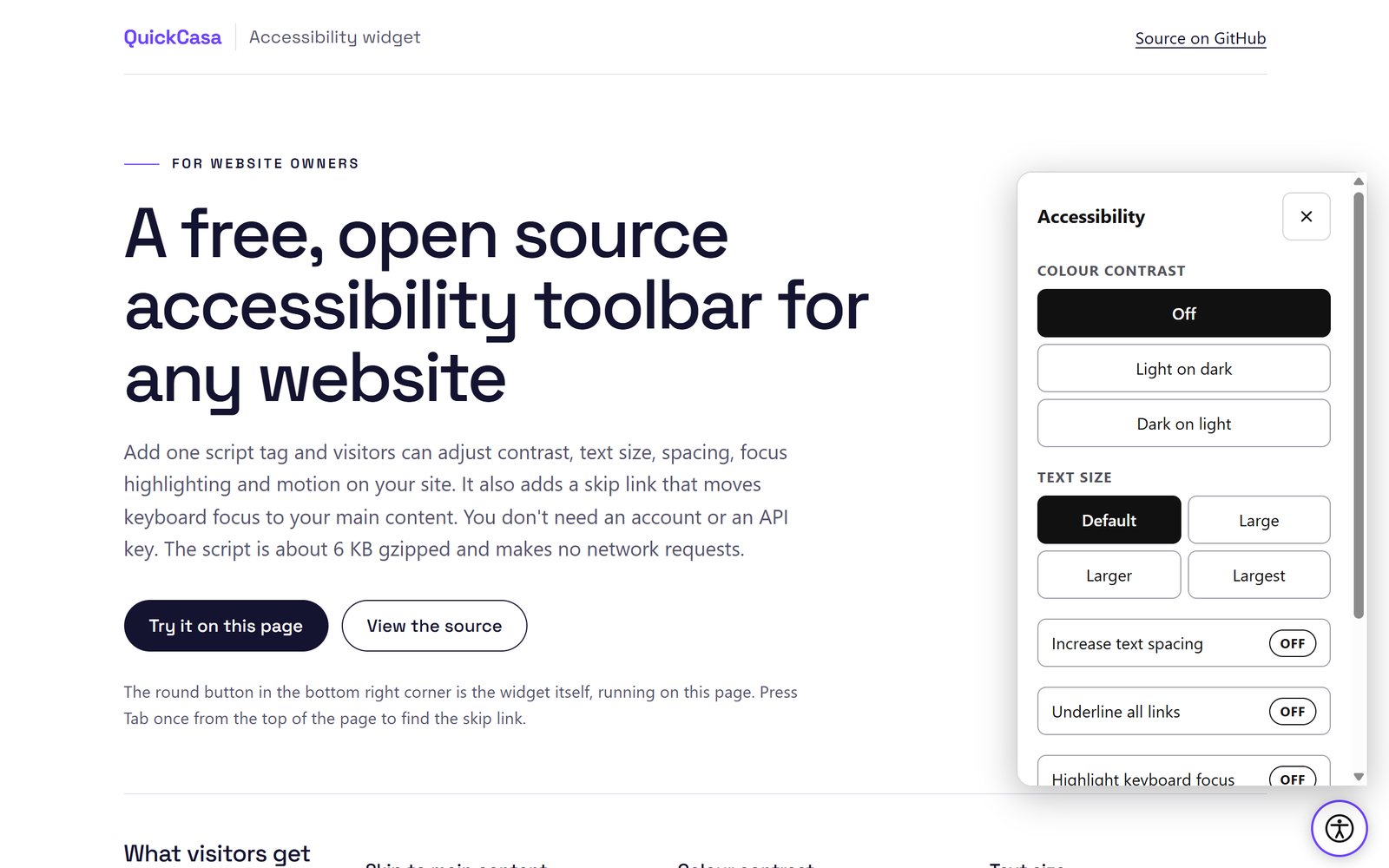
- Skip to main content. The first tab stop on the page, which moves keyboard focus to your main content.
- Colour contrast. Light text on dark or dark text on light, without breaking fixed or sticky headers.
- Text size. 100, 115, 130 or 150 percent. It works like browser zoom, so text set in pixels scales too.
- Text spacing. The WCAG 1.4.12 values for line height and paragraph, letter and word spacing.
- Underline links, highlight keyboard focus and reduce motion, which stops animations and pauses autoplaying video and audio.
Preferences are saved in the visitor's browser and never leave their device. This site uses the widget, so you can try it with the button in the corner.
Add it to your site
Download accessibility.js from the latest release on GitHub, or install it from npm, then host it with the rest of your site and load it with a script tag in the head of your pages. Configure it with data attributes on the same tag: its position, accent colour, button label and which features to show. It needs no account or API key.
The script is about 18 KB, or 6 KB gzipped, and makes no network requests. It works under a strict Content Security Policy and on sites that enforce Trusted Types.
What it doesn't do
The widget gives visitors control over how your site looks and moves for them. It doesn't generate alt text, rewrite your markup or try to fix your site automatically.
It doesn't make a site WCAG or ADA compliant or reduce legal exposure, and no script can. In 2025 the US Federal Trade Commission ordered one overlay vendor to pay US$1 million for claiming its widget made websites WCAG compliant. Accessibility comes from how a site is built and tested.
Questions
Which browsers does it support?
Any browser from roughly 2020 onward: Chrome and Edge 88, Firefox 78 and Safari 14 or later.
Can I open the panel from my own link?
Yes. Once the widget is drawn, window.QuickCasaAccessibility has open, close, reset and getPreferences methods.
Does it track visitors?
No. It makes no network requests, and preferences stay in the visitor's browser.